> ## Documentation Index
> Fetch the complete documentation index at: https://docs.blaxel.ai/llms.txt
> Use this file to discover all available pages before exploring further.
# Query a model API
> Make inference requests to model APIs via their global endpoints on the Global Agentics Network, with ChatCompletions and custom sub-endpoint support.
Model APIs on Blaxel have a unique **inference endpoint** which can be used by external consumers and agents to request an inference execution. Inference requests are then routed on the [Global Agentics Network](../Infrastructure/Global-Inference-Network) based on the [deployment policies](../Model-Governance/Policies) associated with your model API.
## Inference endpoints
Whenever you deploy a model API on Blaxel, an **inference endpoint** is generated on Global Agentics Network.
The inference URL looks like this:
```http Query model API theme={null}
POST https://run.blaxel.ai/{YOUR-WORKSPACE}/models/{YOUR-MODEL}
```
### Specific API endpoints in your model
The URL above calls your model and can be called directly. However your model may **implement additional endpoints.** These sub-endpoints will be hosted on this URL.
For example, if you are calling a text generation model that also implements the ChatCompletions API:
* calling `run.blaxel.ai/your-workspace/models/your-model` (the base endpoint) will generate text based on a prompt
* calling `run.blaxel.ai/your-workspace/models/your-model/v1/chat/completions` (the ChatCompletions API implementation) will generate a response based on a list of messages
### Endpoint authentication
It is necessary to authenticate all inference requests, via a [bearer token](../Security/Access-tokens). The evaluation of authentication/authorization for inference requests is managed by the Global Agentics Network based on the [access given in your workspace](../Security/Workspace-access-control).
Making a workload publicly available is not yet available. Please contact us at [support@blaxel.ai](mailto:support@blaxel.ai) if this is something that you need today.
## Make an inference request
### Blaxel API
Make a **POST** request to the [inference endpoint](/Models/Query-a-model) for the model API you are requesting, making sure to fill in the [authentication token](/Models/Query-a-model):
```bash theme={null}
curl 'https://run.blaxel.ai/YOUR-WORKSPACE/models/YOUR-MODEL' \
-H 'accept: application/json, text/plain, */*' \
-H 'x-Blaxel-authorization: Bearer YOUR-TOKEN' \
-H 'x-Blaxel-workspace: YOUR-WORKSPACE' \
--data-raw $'{"inputs":"Enter your input here."}'
```
Read about [the API parameters in the reference](https://docs.blaxel.ai/api-reference/inference).
### Blaxel CLI
The following command will make a default POST request to the model API.
```bash theme={null}
bl run model your-model --data '{"inputs":"Enter your input here."}'
```
You can call [specific API endpoints](/Models/Query-a-model) that your model implements with the option `--path` :
```bash theme={null}
bl run model your-model --path /v1/chat/completions --data '{"inputs":"Hello there!"}'
```
Read about [the CLI parameters in the reference](https://docs.blaxel.ai/cli-reference/bl_run).
### Blaxel console
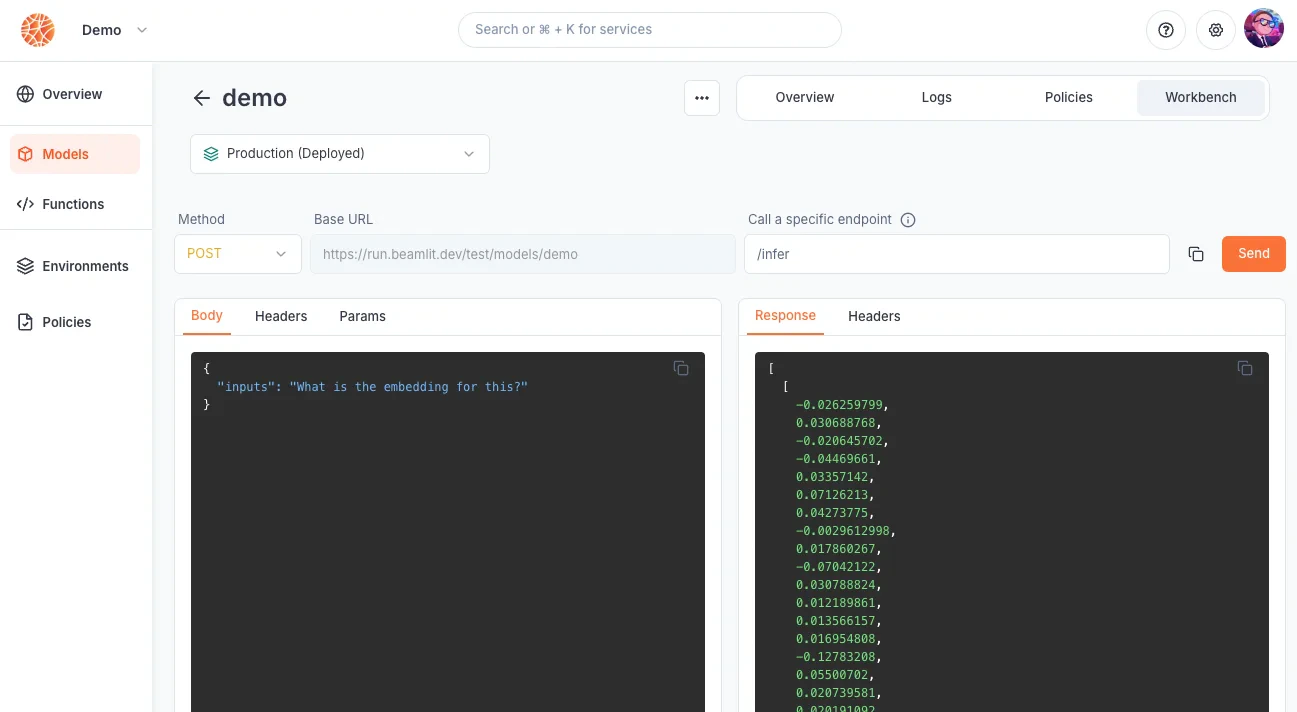
Inference requests can be made from the Blaxel console from the model API’s **Playground** page.