
Documentation Index

Fetch the complete documentation index at: https://docs.blaxel.ai/llms.txt

Use this file to discover all available pages before exploring further.

As your project is ready to go to production, a typical way to manage CI/CD for your agents is to synchronize them with a GitHub repo. There are two approaches:
  1. You can connect a GitHub repository to Blaxel to automatically deploy updates whenever changes are pushed to the main branch.
  2. For more customized workflows, you can create a GitHub Actions workflow to manually deploy updates when specified conditions are met.
This integration is only available to deploy agents.

Deploy automatically with GitHub integration

The simplest way to start is connecting your GitHub repository through the Blaxel Console. github.webp Requirements:
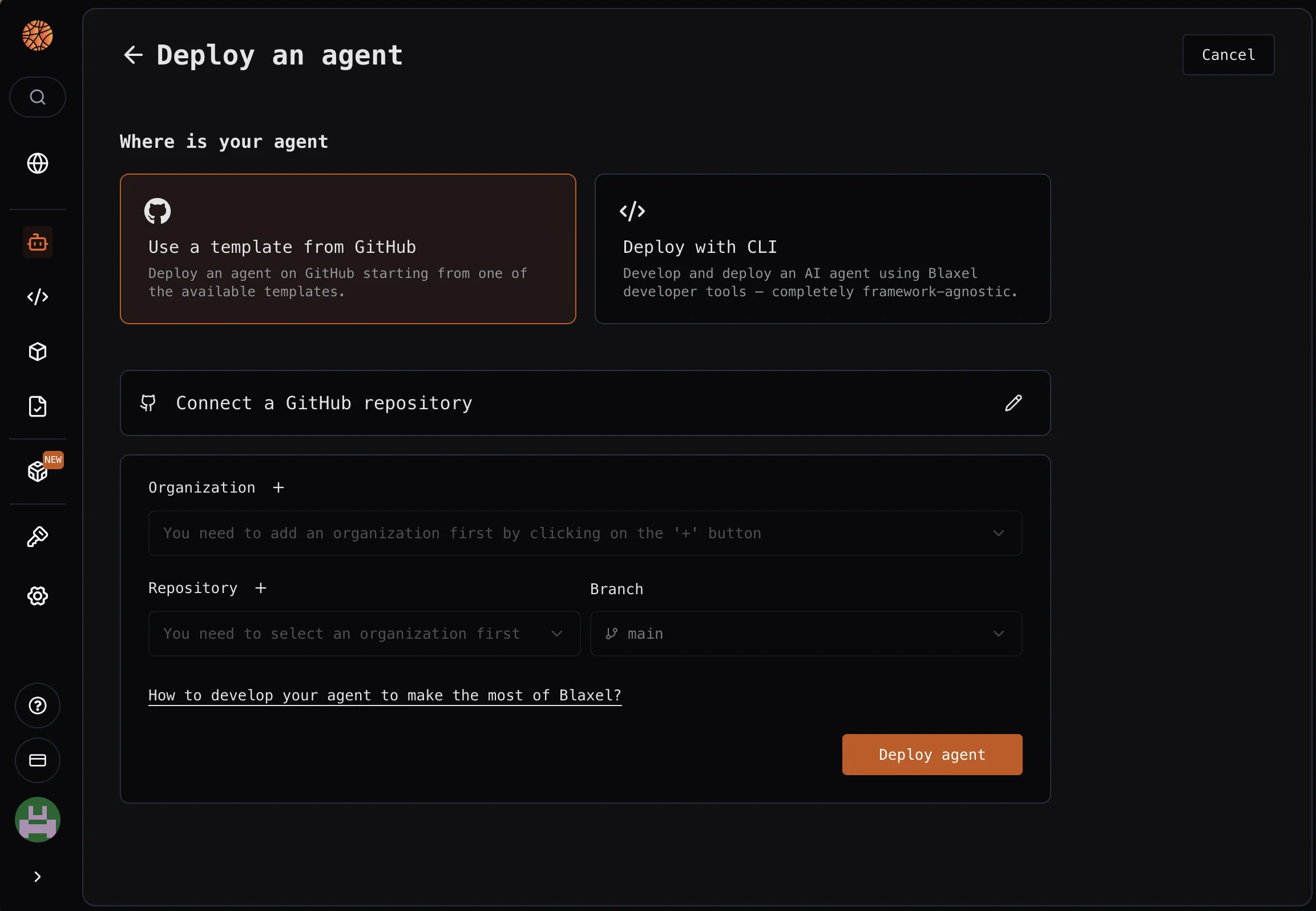
  • Authenticate with a GitHub account that shares the same public email address as your current Blaxel login
This creates a GitHub action in your repository that connects to your Blaxel workspace to automatically launch a deployment when a push is made on the main branch.
At the moment, you can only deploy from main. Reach out to Blaxel if you need to deploy from other branches.

Deploy manually with GitHub Actions

If you prefer to manage your CI/CD workflow directly, use a customized GitHub Actions workflow, as shown in the example below:
.github/workflows/blaxel-deploy.yml
name: Deploy to Blaxel

on:
  push:
    branches:
      - main

jobs:
  deploy:
    runs-on: ubuntu-latest

    steps:
      - name: Checkout
        uses: actions/checkout@v4

      - name: Install Blaxel CLI
        run: curl -fsSL https://raw.githubusercontent.com/blaxel-ai/toolkit/main/install.sh | BINDIR=/usr/local/bin sh
        # for security, pin to a tagged release and/or verify a checksum, e.g.:
        # run: https://raw.githubusercontent.com/blaxel-ai/toolkit/v0.1.90/install.sh

      - name: Deploy to Blaxel
        env:
          BL_API_KEY: ${{ secrets.BL_API_KEY }}
          BL_WORKSPACE: ${{ secrets.BL_WORKSPACE }}
        run: bl deploy
Ensure that BL_API_KEY and BL_WORKSPACE are defined as secrets in your GitHub repository.
Last modified on May 4, 2026