

This feature is currently in private preview and is not intended for production use. In private preview, it has the following limitations:
- It is only available for sandboxes.
- Egress gateway assignment is only possible at sandbox creation time.
- Egress gateway removal is only possible by deleting the corresponding sandbox.
Order an egress gateway
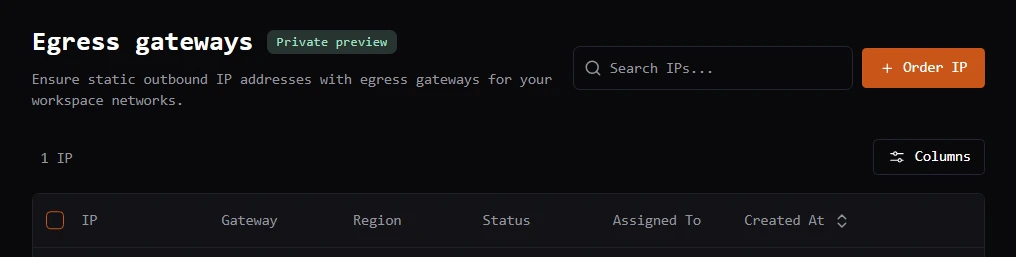
Egress gateway configuration takes place from the Blaxel Console.- Navigate to Network > Egress gateways.
-
Click the Order IP button in the top right corner.
-
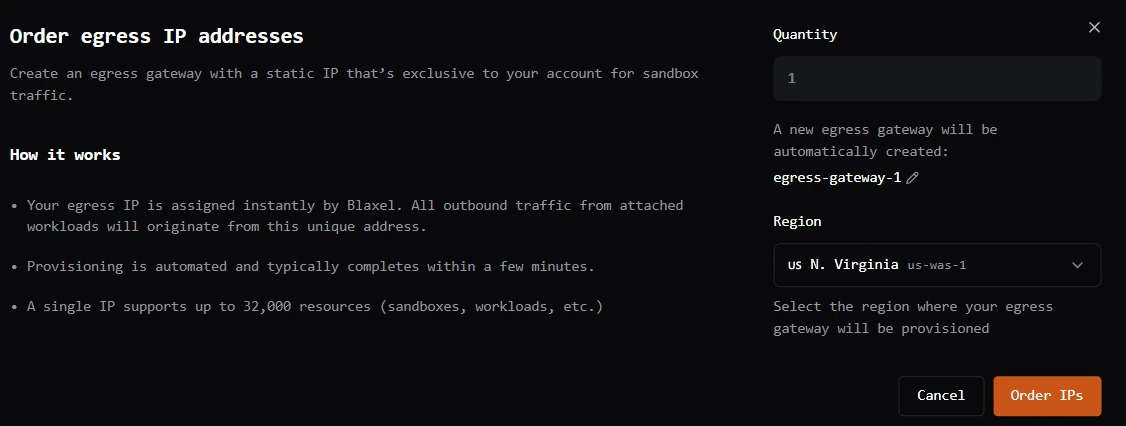
Select the quantity and egress gateway region.
Assign an egress gateway to a sandbox
Once provisioning is complete, you can attach the assigned egress gateway when creating one or more sandboxes. All outbound traffic from the attached sandboxes will then originate from this unique address. You can assign an egress gateway to a sandbox at creation time via the Blaxel Console or via the Blaxel SDK.Blaxel Console
When creating a new sandbox via the Blaxel Console, use the Egress IP drop-down to assign an available egress gateway to that sandbox. Only egress gateways in the same region as the new sandbox are shown for assignment.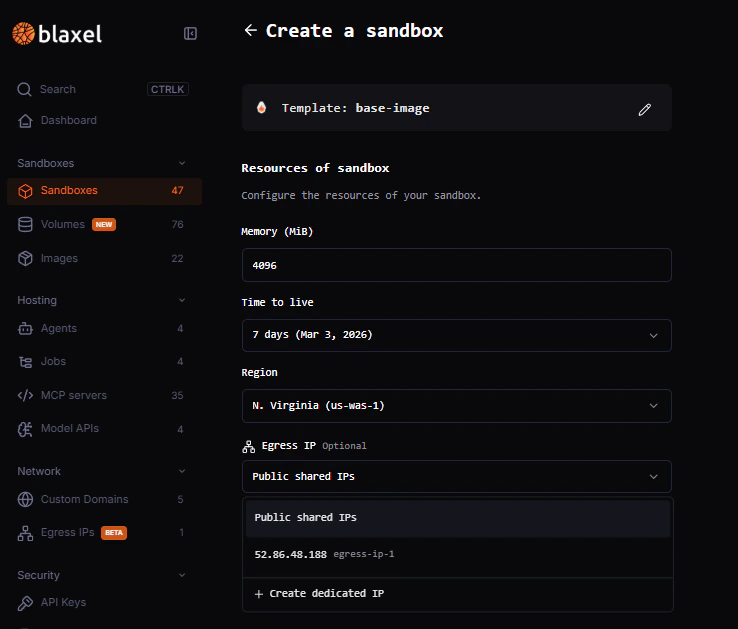
Blaxel SDK
When creating a new sandbox via the Blaxel SDK, you can assign it to a dedicated egress gateway by passing anetwork option when creating the sandbox. Here is an example when creating a sandbox: