Asynchronous triggers allow you to run an agent request asynchronously. The agent responds immediately while it continues processing the task in the background. You can optionally receive the result through a callback. This lets tasks run for up to 15 minutes (on Mark 3 infrastructure) or 10 minutes (on Mark 2 infrastructure) without keeping an HTTP connection open.

Create an asynchronous request

To create an asynchronous request, call your agent URL as shown below:
# on Mark 2 infrastructure
POST https://run.blaxel.ai/{your-workspace}/agents/{your-agent}/async

# on Mark 3 infrastructure
POST https://run.blaxel.ai/{your-workspace}/agents/{your-agent}?async=true
Your agent should immediately return:
{ "success": true }
Meanwhile, the full request is processed asynchronously in the background.

Set a callback URL

Callback URLs are only supported on Mark 3 infrastructure.
You can provide an optional callback URL to receive the result when the background job completes. The callback URL must be specified when the agent is deployed, either via the Blaxel Console or the blaxel.toml configuration file. When a callback URL is set, a POST request is automatically sent to that URL when the background job completes. The POST request contains a JSON payload with the agent response. Here is an example:
{
  "status_code": 200,
  "response_body": "{\"result\":\"ok\"}",
  "response_length": 123,
  "timestamp": 1735891200
}
You can inspect and verify callbacks by using https://webhook.site.

Verify a callback using its signature

If you set a callback URL, Blaxel automatically generates a callback secret and uses it to sign the request. This is included in the response payload headers:
X-Blaxel-Signature: sha256=<hex>
X-Blaxel-Timestamp: <unix timestamp>
The signature can be verified using the Blaxel SDK.
If no callback URL is set, no secret is generated.
Here is an example of a webhook running at the /callback URL endpoint to validate and process signed responses from an agent running an asynchronous request:
import express from "express";
import { verifyWebhookFromRequest } from "@blaxel/core";

const app = express();
const CALLBACK_SECRET = process.env.CALLBACK_SECRET!;

app.use(express.text({ type: "application/json" }));

app.post("/callback", (req, res) => {
  if (!verifyWebhookFromRequest(req, CALLBACK_SECRET)) {
    return res.status(401).json({ error: "Invalid signature" });
  }

  const data = JSON.parse(req.body);
  console.log("Job completed:", data);

  res.json({ received: true });
});
To create the asynchronous request, use the following example command:
curl -X POST "https://run.blaxel.ai/$(bl workspace --current)/agents/{your-agent}?async=true" \
  -H "Content-Type: application/json" \
  -d '{"input": "Hello"}'

Configure asynchronous triggers

Asynchronous triggers are configured in two ways: via the Blaxel Console or in the blaxel.toml configuration file.

Blaxel Console

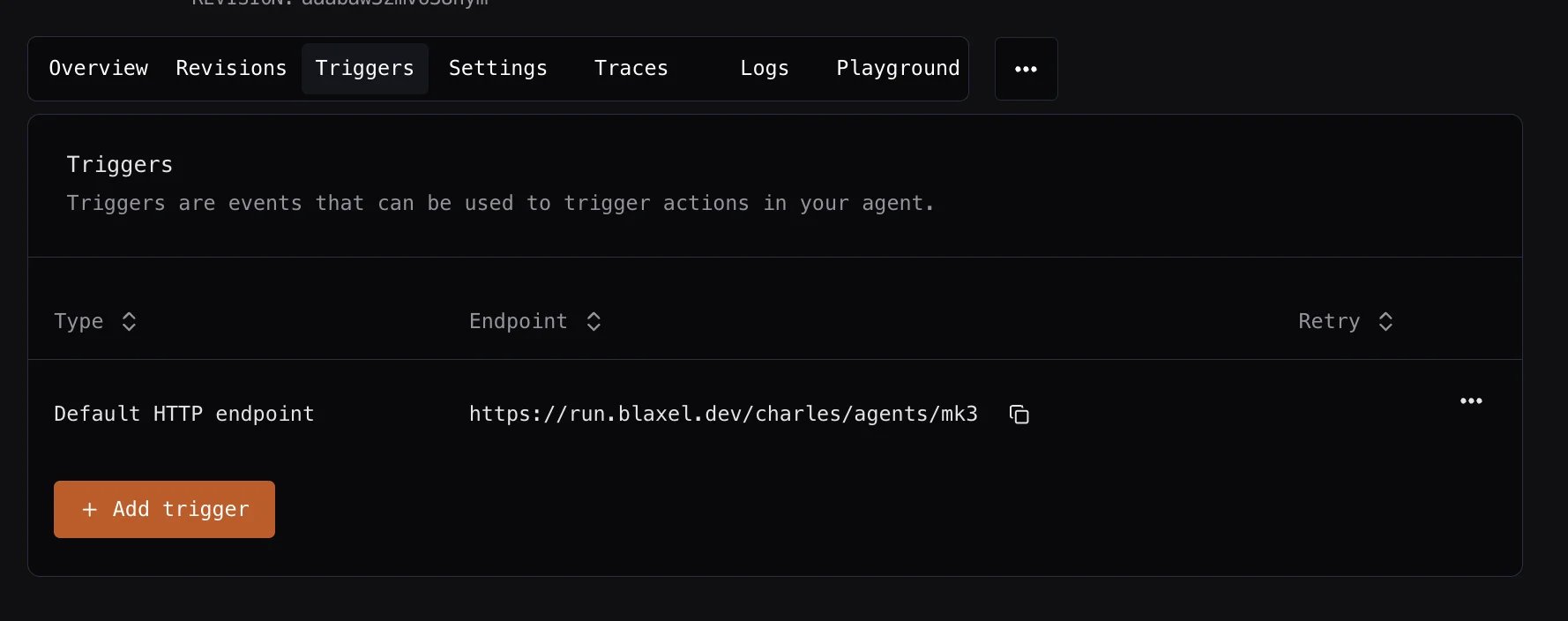
In the Blaxel Console, you can configure asynchronous triggers by clicking the Triggers tab on the agent detail page. This page lets you list, add, edit, or delete triggers for your agent. Triggers List To add a new asynchronous trigger, click Add Trigger. You can also optionally configure a callback URL for the trigger. Trigger Configuration
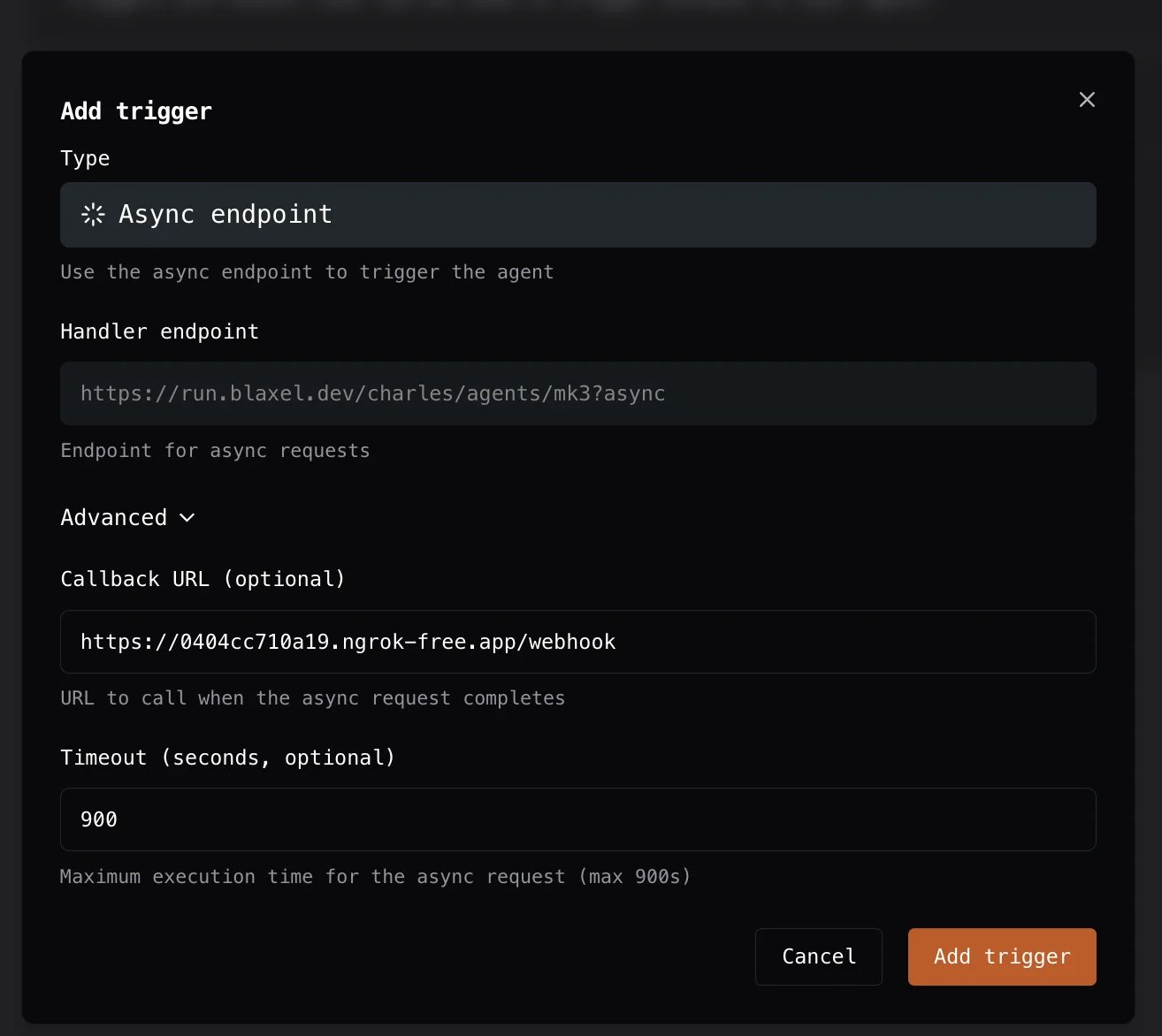
If no callback URL is set, the request will still be processed asynchronously but the callback URL will not be triggered.
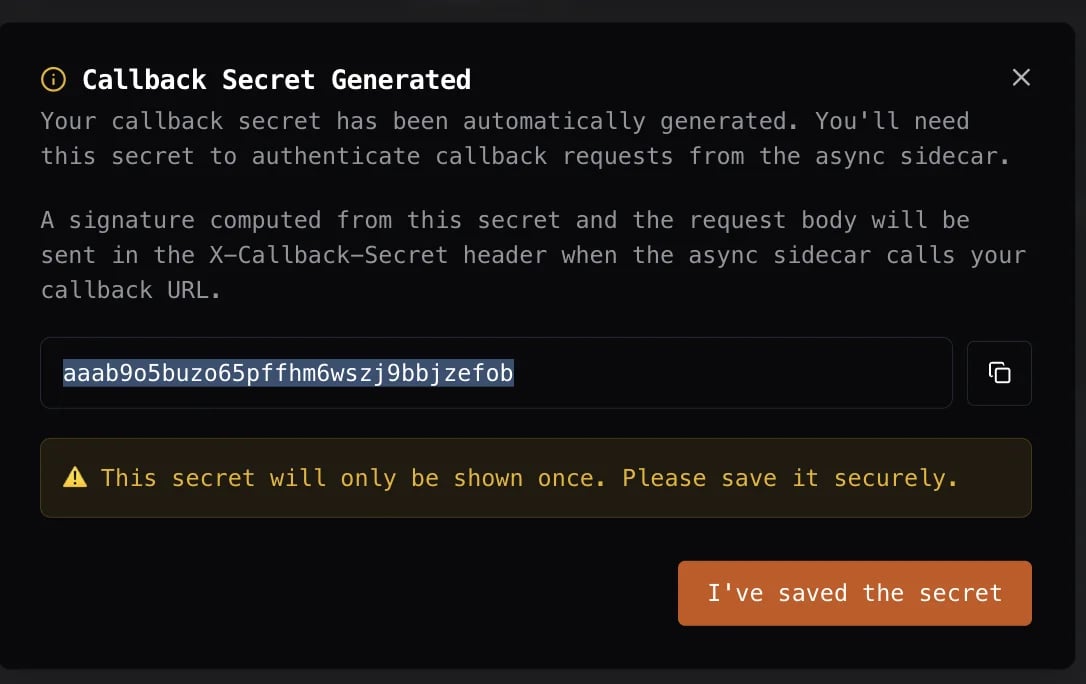
When you create a trigger with a callback URL, Blaxel automatically generates a callback secret. You can use this secret to verify incoming requests to the callback URL using the Blaxel SDK. Callback Secret
The callback secret is only shown once, so you should save it securely.

Blaxel configuration file

You can configure asynchronous triggers directly in your blaxel.toml file, as in the example below:
type = "agent"
name = "async-agent"

[[triggers]]
  # unique trigger ID
  id = "async"
  # marks trigger as asynchronous
  type = "http-async"

[triggers.configuration]
  # callback URL - optional
  callbackUrl = "https://webhook.site/3955e30a-e4b6-4fa5-8a28-598ce0f53386"
This approach allows you to version-control triggers and manage them as part of your agent codebase.